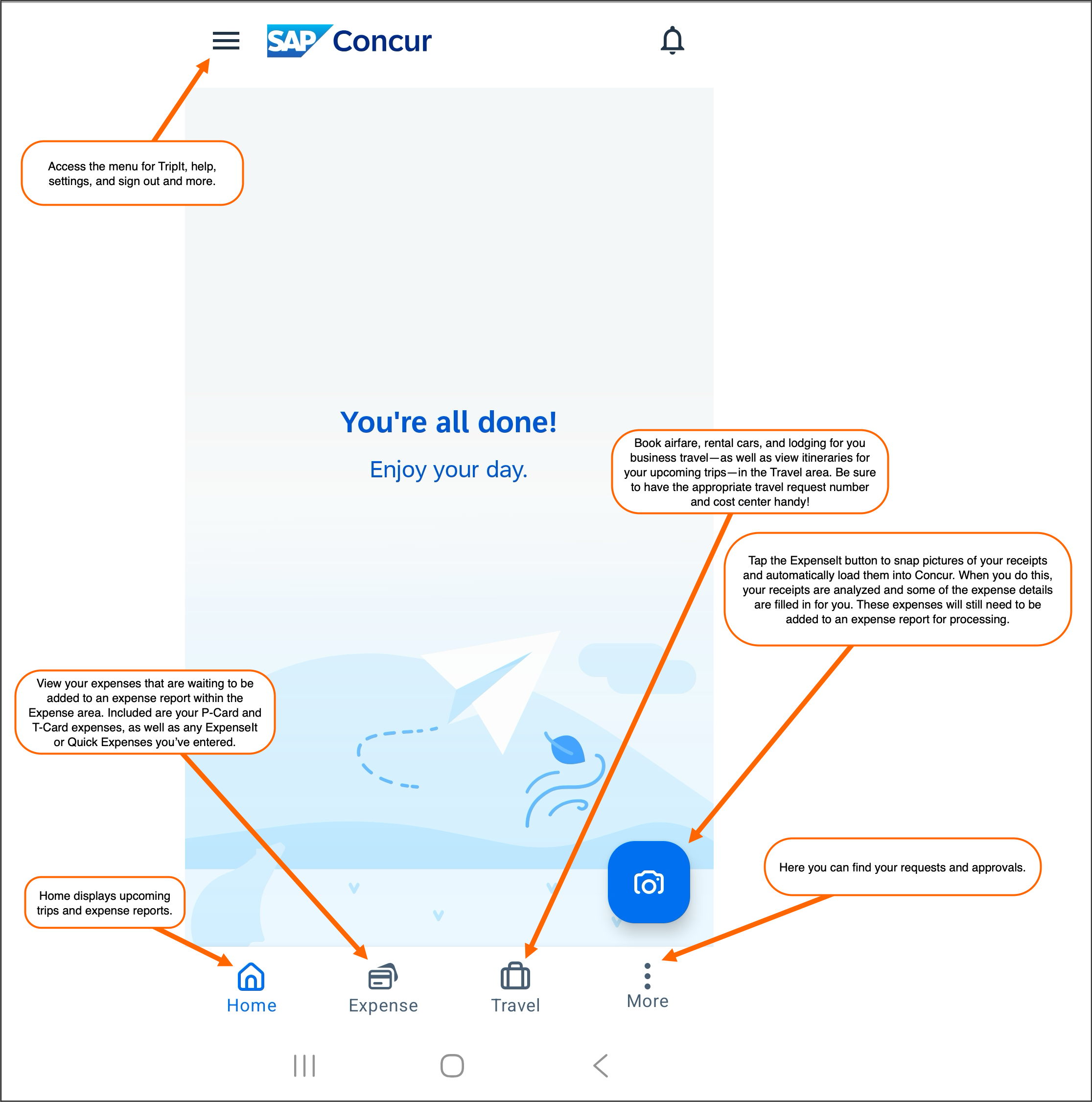
The Concur app gives you access to many Concur features from your mobile device, such as booking airfare, hotels and car rentals, creating and submitting expense reports, and approving travel requests and expense reports. You can also use it to take pictures of your receipts so they are automatically loaded into Concur and some of the expense details are filled in for you via Concur's ExpenseIt feature.
With the free Concur app, you can:
- View your travel itineraries (if booked in Concur or through Cain Travel);
- View your travel requests;
- Create and submit your expense reports; and,
- Take pictures of your receipts so your receipt images are automatically loaded into Concur and some of the expense details are filled in for you.
- If you are an approver, you can also use the Concur app to review and approve travel requests and expense reports.
Register for the Concur Mobile App
|
Logging into the Concur App
Upon first launch, tap the Sign In button. On the next screen, enter your UCAR email address and tap Next. Select the UCAR SSO option and then follow the next screens to sign in via single sign-on (SSO), using your CIT credentials (including two-factor authentication via Duo if needed).
You will be guided through an introduction to the app and its features and then presented with an end user agreement that must be reviewed and accepted to use the app.
If your phone supports it, you will be prompted to enable sign in via biometrics (e.g., fingerprint login). This is highly encouraged for privacy and security.
Using the Concur Mobile App
The Concur app provides access to Concur from your mobile device. The SAP Concur app provides the following functionality:
- Book travel (airfare, rental cars, lodging, train, etc.)
- View existing and recent trips
- View UCAR's travel agency contact information
- Create, edit, and submit travel requests
- Create, edit, and submit expense reports
- Take pictures of your receipts and auto-populate expense details using ExpenseIt
- Review and approve travel requests and expense reports (if you are an approver)
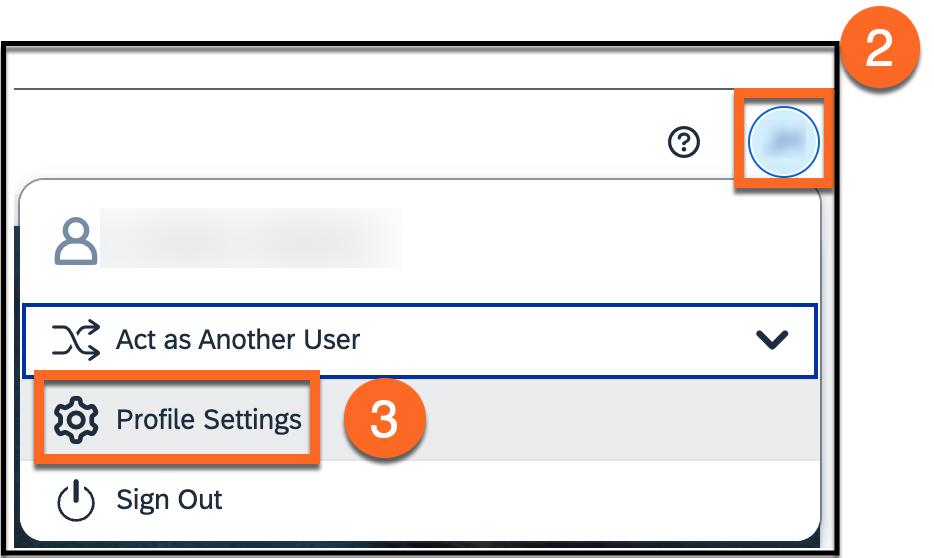
- Acting as another user (delegation)